 Texmorph
Text cleanup for Mac and iPhone
Keep the words.
Lose the clutter.
From a messy paste
to a clearer next draft.
Make room for the meaning
Good text.
Less housekeeping.
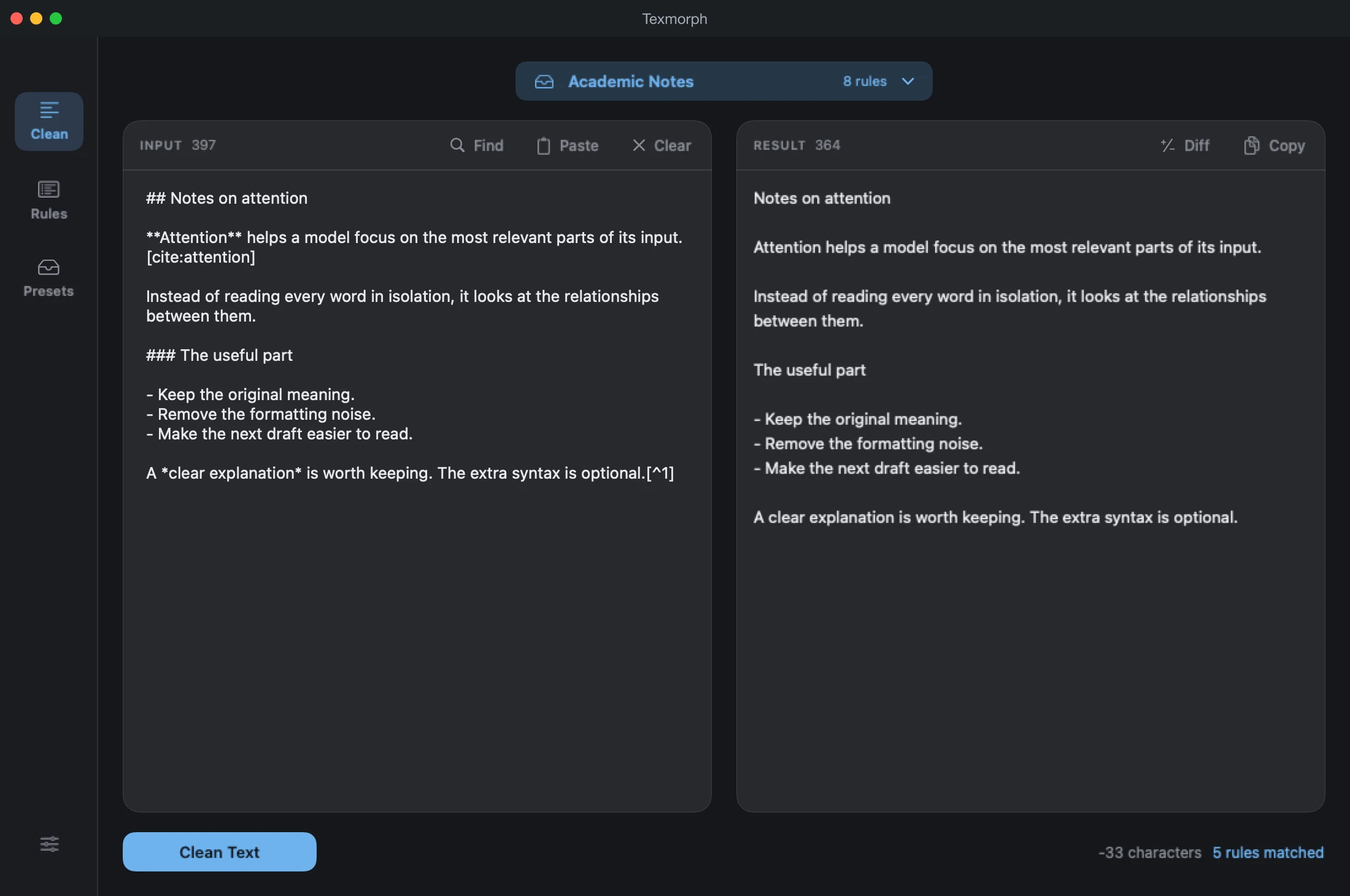
A reply from an LLM. Notes for a paper. A block of code comments. Bring your text into Texmorph and choose what to clean: LaTeX formatting, Markdown syntax, citations and more.
01 / Review your result
See the
Differences.
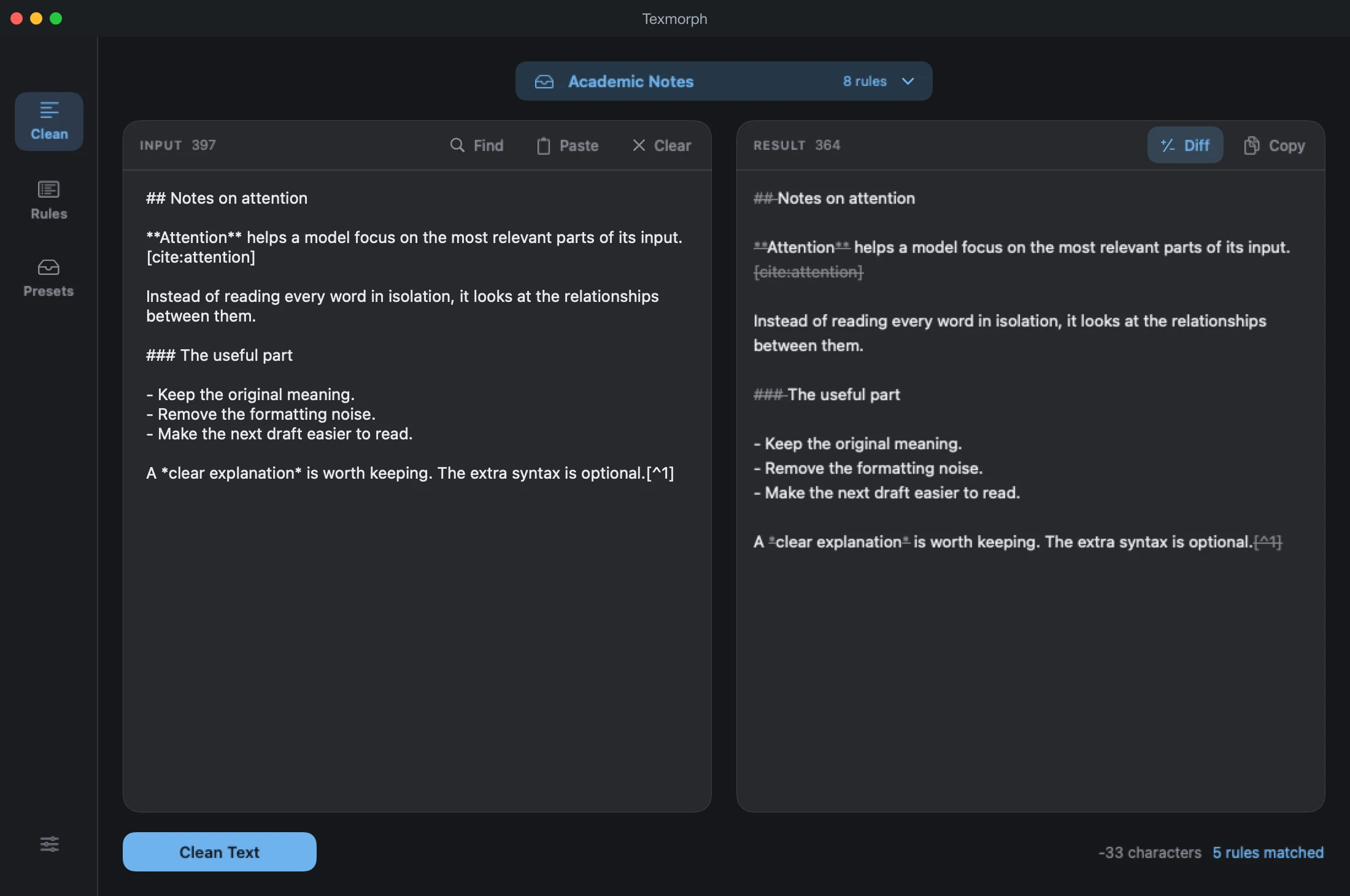
Switch on Diff to inspect the changes before you copy. Keep the original alongside the result on Mac, or switch between them on iPhone.
- Visible additions and removals
- Your original input stays available
- A clean result, ready to copy
02 / Your rules, your workflow
Define Your Rules.
Save Your Setup.
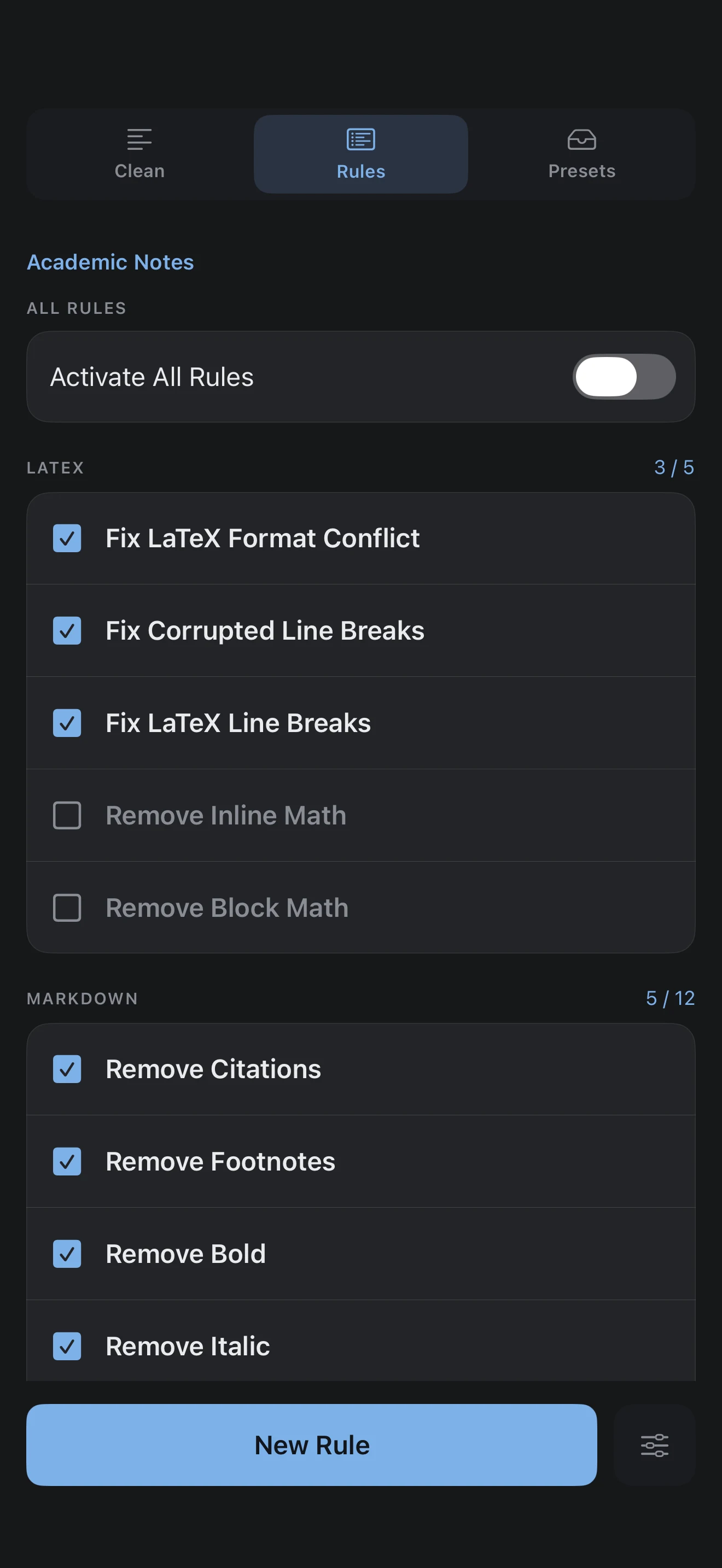
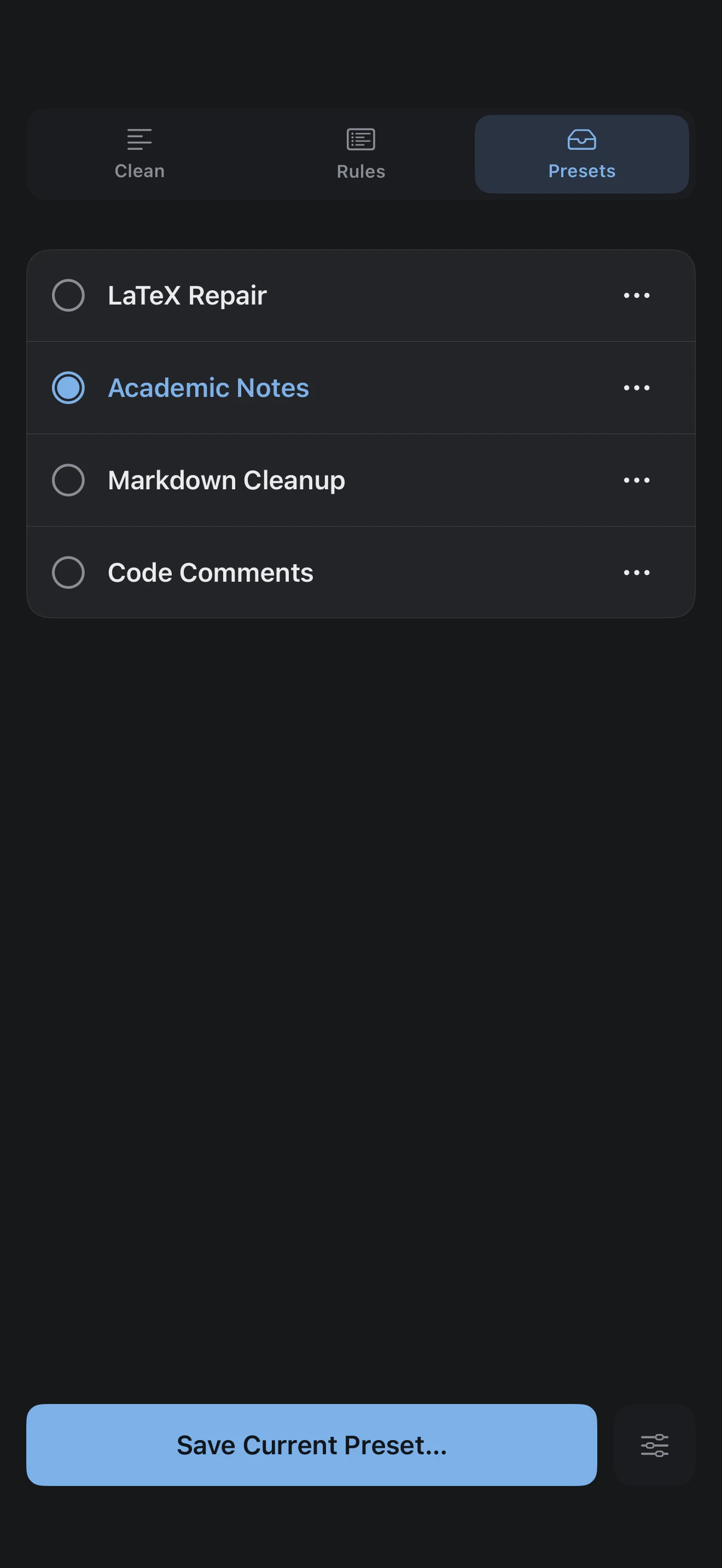
Keep the bolding. Clean up the citations. Repair the LaTeX. Select the rules that fit the job, then save that combination as your own preset.
Each preset is a snapshot. Change a rule and you leave the preset behind, without overwriting it. Apply it again whenever you need that setup.
- Edit, rename or delete any preset
- Start with the editable LaTeX Repair preset
- Create custom rules with regular expressions
03 / The finishing touches
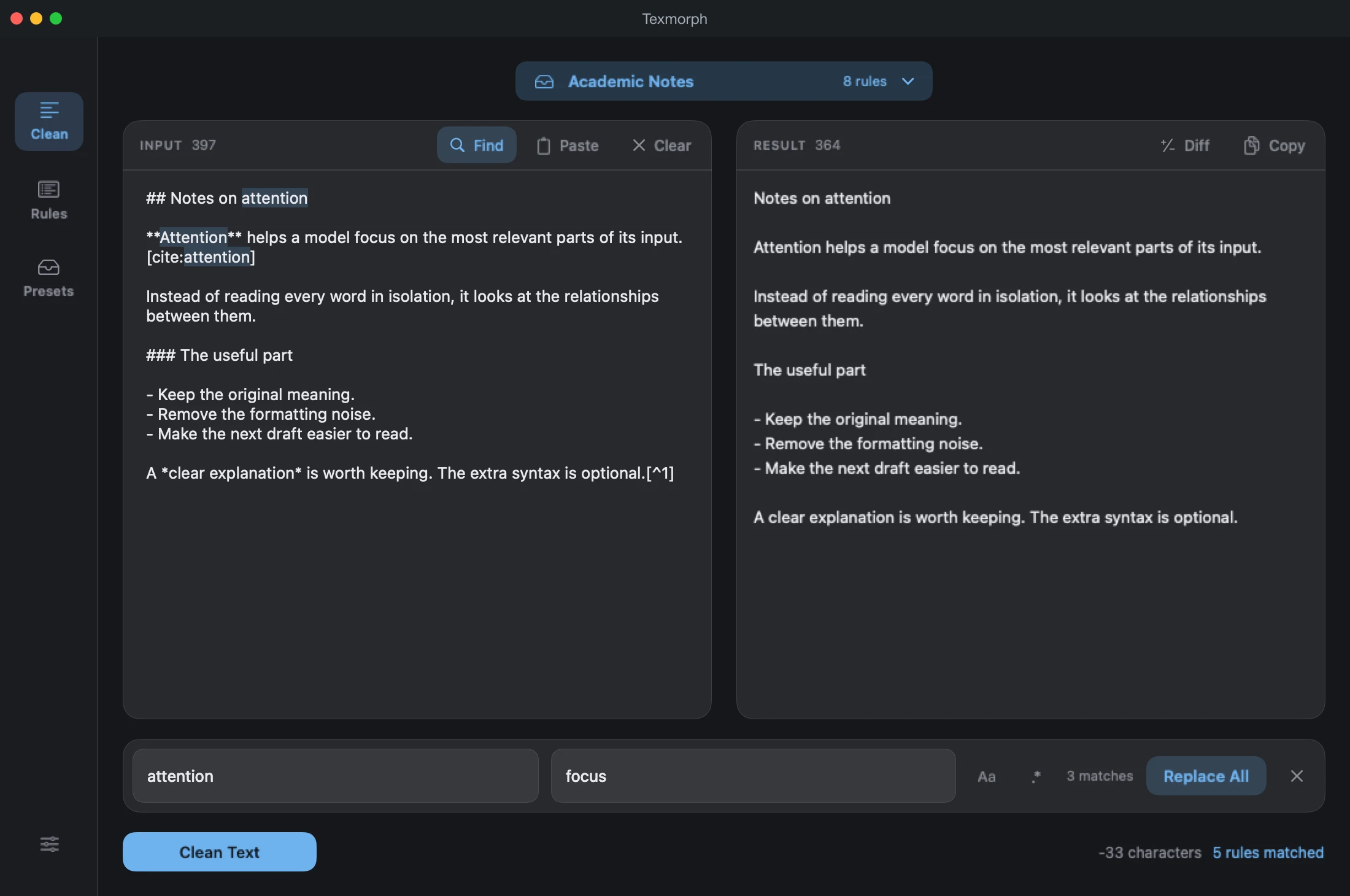
Replace
With Ease.
A term to shorten. A name to update. A pattern to remove. Find and replace handles the details, with match counts, case sensitivity and regular expressions when you need them.
- Plain text or regex matching
- Case-sensitive search controls
- Available on every platform
Your device is enough
Keep Your
Words Private.
Your text is processed locally on your device. No upload to a text-processing service. No AI account to connect. Just your words and the tools to tidy them.
A familiar way to work
At your desk.
In your hand.
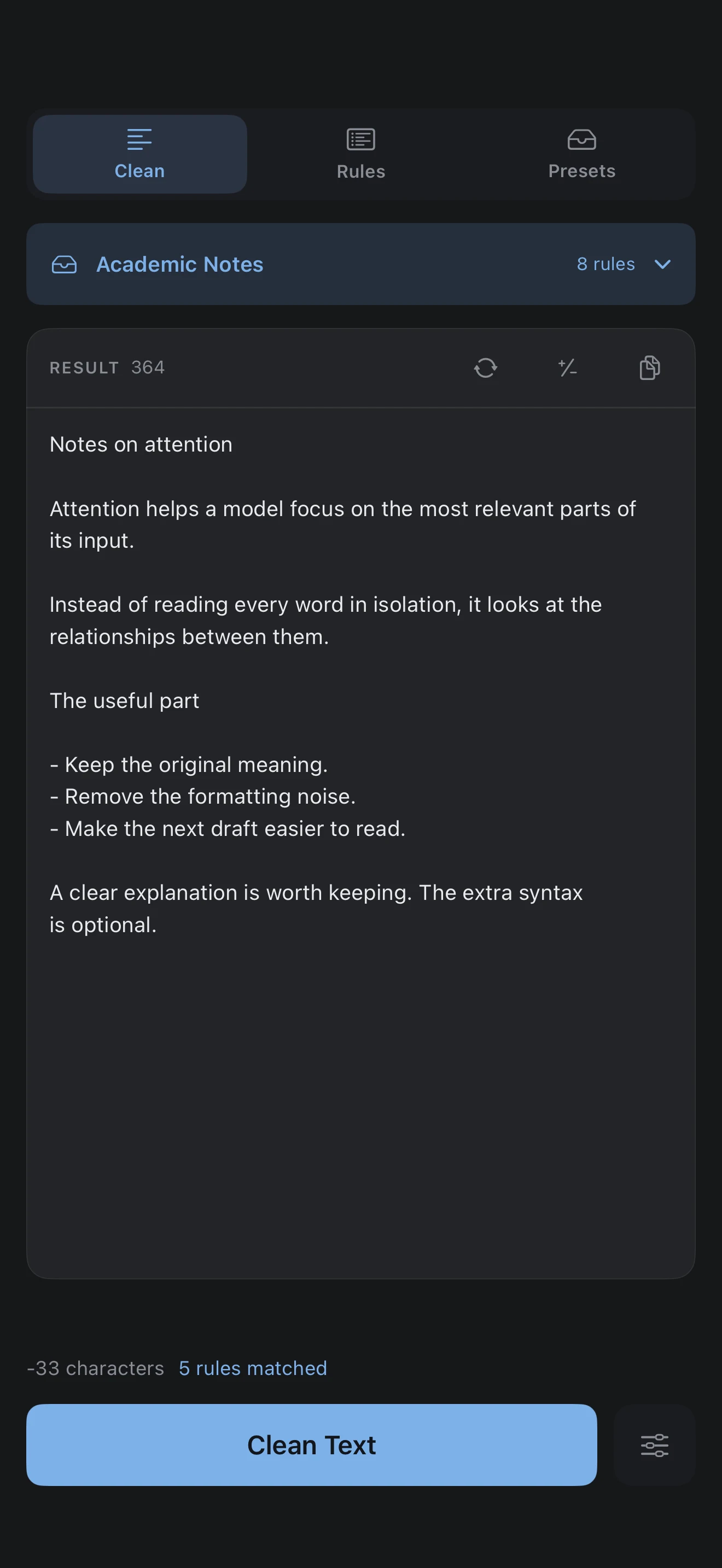
The same cleaning engine, presets, Diff and find and replace on Mac and iPhone. A roomy side-by-side editor on Mac; a focused, touch-friendly workspace on iPhone.
Pick the device that fits the moment.
A closer look
Texmorph, in pictures.
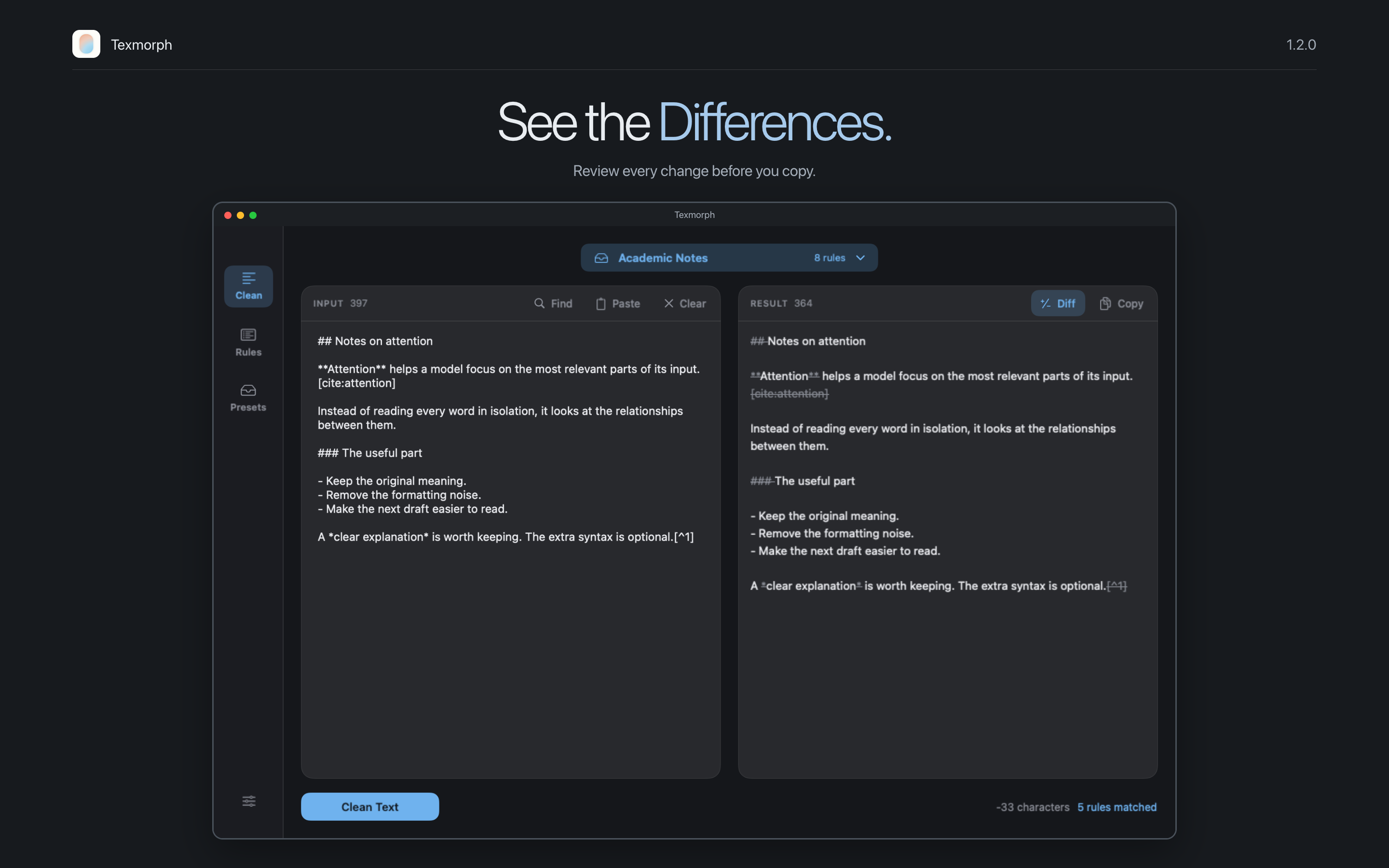
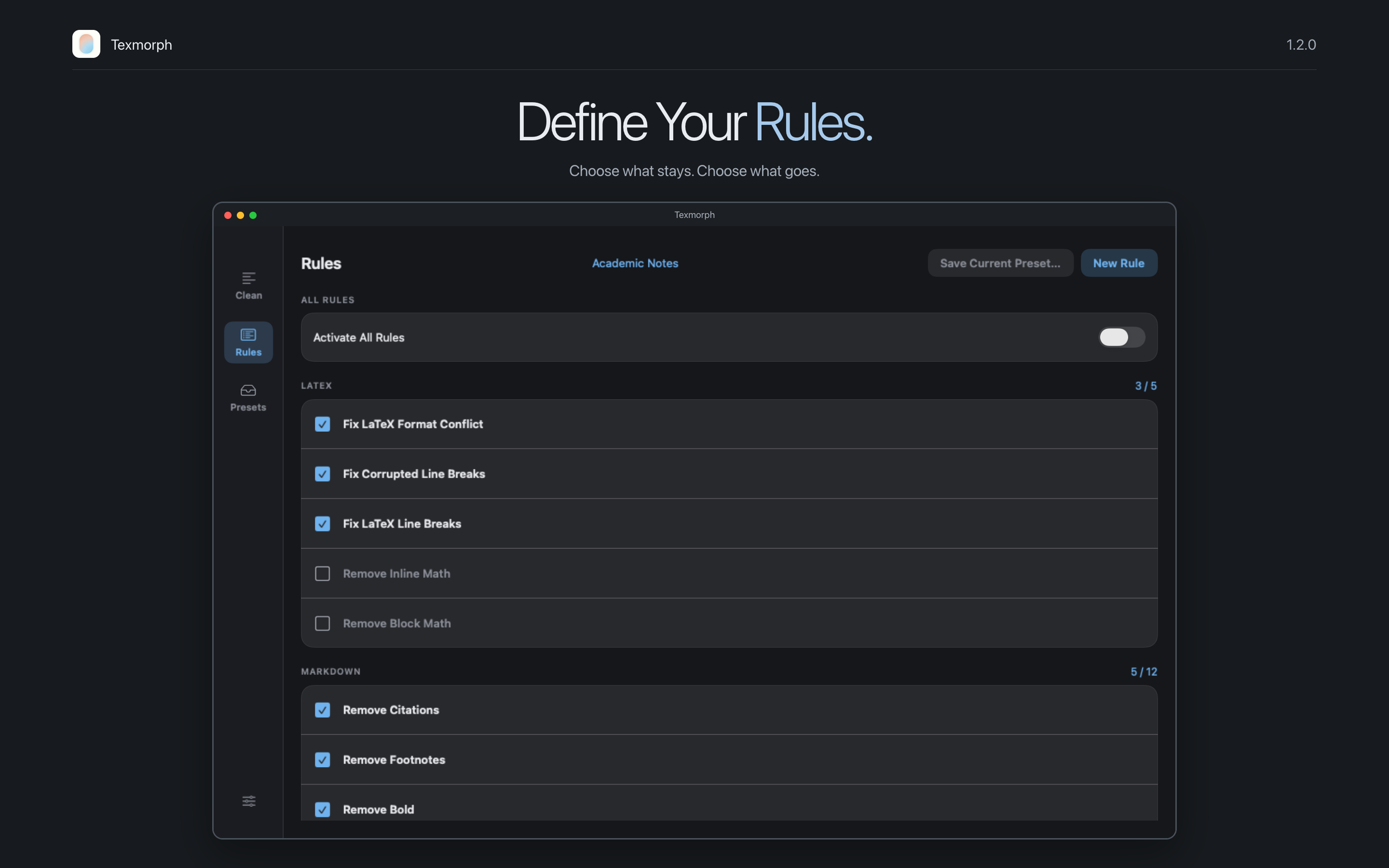
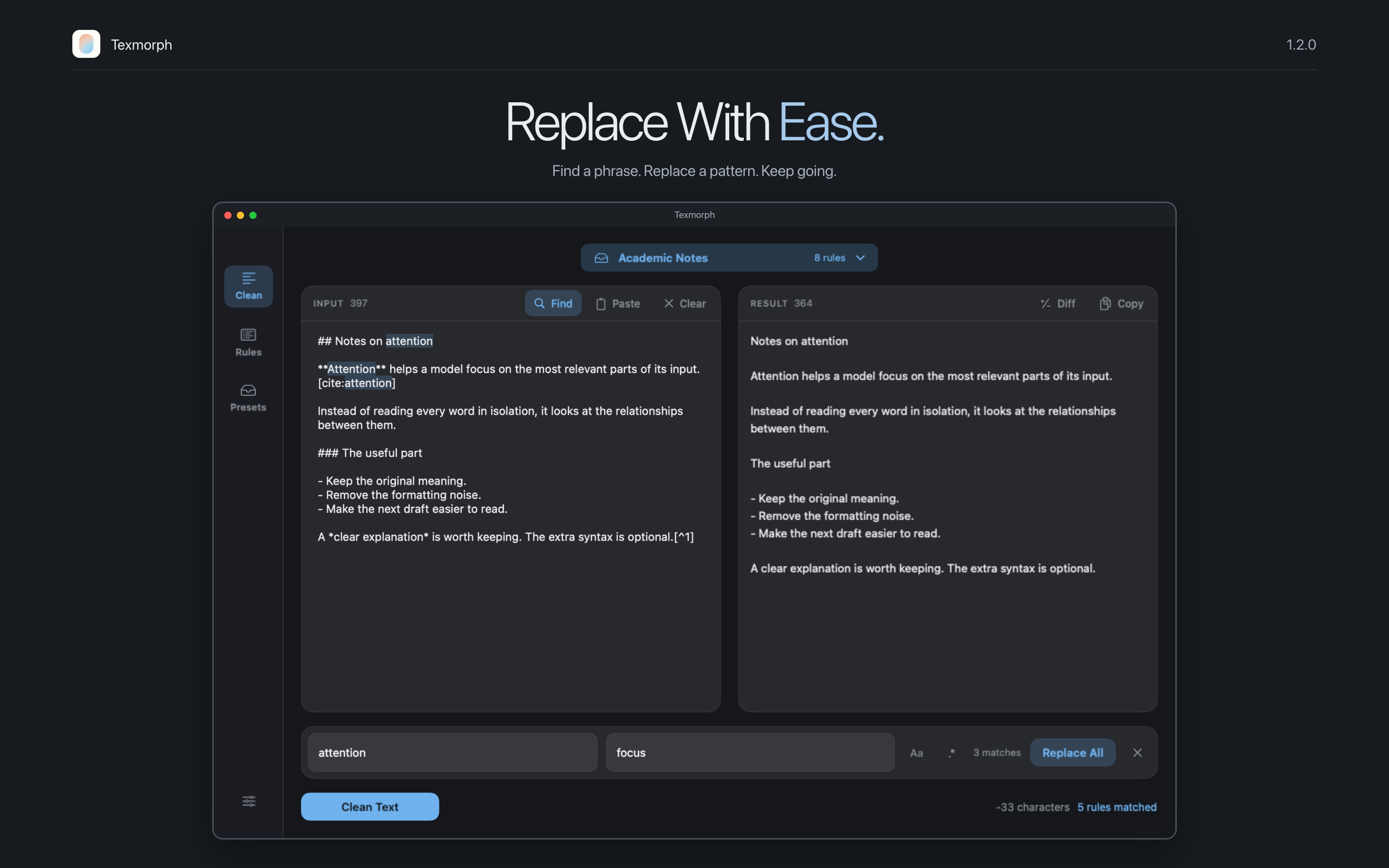
Screenshots show Texmorph 1.2 with original example text and example user presets. The app interface is captured from native SwiftUI views.
Your next draft starts here
Less cleanup.
More clarity.
Get Texmorph 14-day free trial. Pro is available monthly, yearly, or as a lifetime purchase. Local pricing is shown in the app.
What can Texmorph clean?
Paste or type text to repair LaTeX formatting and remove selected Markdown syntax, citations, footnote references and other formatting. Choose individual rules to keep control over the result.
Can I change the starter preset?
Yes. LaTeX Repair is an ordinary, editable preset. Rename it, change its rules or delete it. You can also save your current rules as a new preset.
Does my text leave my device?
Text cleanup, Diff, and find and replace run on your device. Texmorph does not send your input to an external processing service. App Store purchases use Apple's services.
Are the tools the same on Mac and iOS?
Yes. The cleaning rules, editable presets, custom regex rules, Diff, and find and replace are available on both. The layout and interactions adapt to your device.
Where can I get help?
Email kircerta@gmail.com with your device, operating system version, and a description of the issue.