'%3e%3cg%20clip-path='url(%23gc)'%3e%3cpath%20mask='url(%23gk2)'%20d='M78.000%2044.353%20L44.961%2084.000%20H78.000%20Z'%20fill='none'%20stroke='url(%23gg)'%20stroke-width='4.6'%20stroke-linejoin='miter'%20stroke-miterlimit='20'/%3e%3cpath%20mask='url(%23gk1)'%20d='M66.000%2034.353%20L32.961%2074.000%20H66.000%20Z'%20fill='none'%20stroke='url(%23gg)'%20stroke-width='4.6'%20stroke-linejoin='miter'%20stroke-miterlimit='20'/%3e%3cpath%20d='M54.000%2024.353%20L20.961%2064.000%20H54.000%20Z'%20fill='none'%20stroke='url(%23gg)'%20stroke-width='4.6'%20stroke-linejoin='miter'%20stroke-miterlimit='20'/%3e%3c/g%3e%3cpath%20d='M35%2016%20H65%20A13%2013%200%200%201%2078%2029%20V84%20H35%20A13%2013%200%200%201%2022%2071%20V29%20A13%2013%200%200%201%2035%2016%20Z'%20fill='none'%20stroke='url(%23gg)'%20stroke-width='6.2'%20stroke-linejoin='miter'%20stroke-miterlimit='4'/%3e%3c/g%3e%3c/svg%3e) Backtrack
BacktrackChecklists
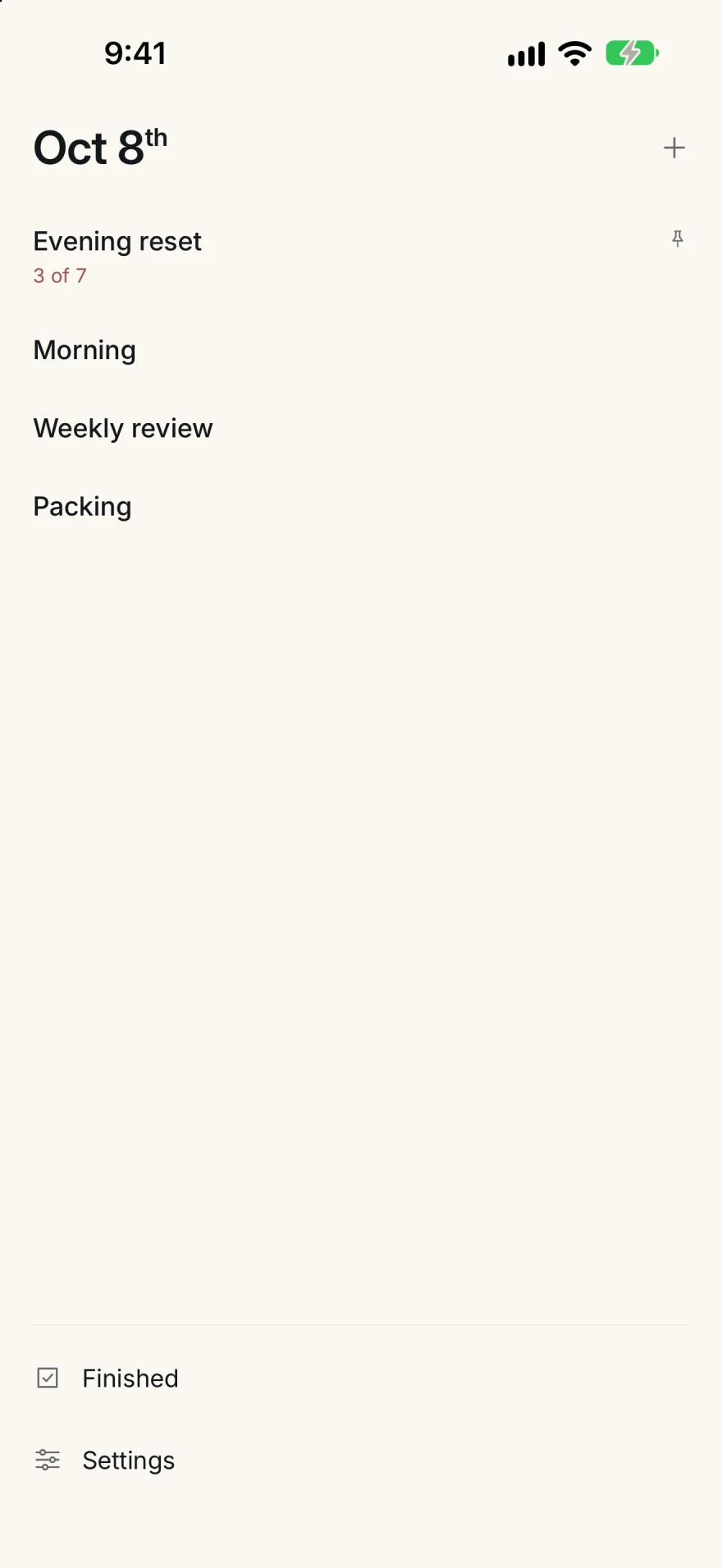
The library lists every checklist under today’s date. On iPhone it is the first screen; on iPad and Mac it is the sidebar. Finished and Settings sit at its foot.
Create a checklist
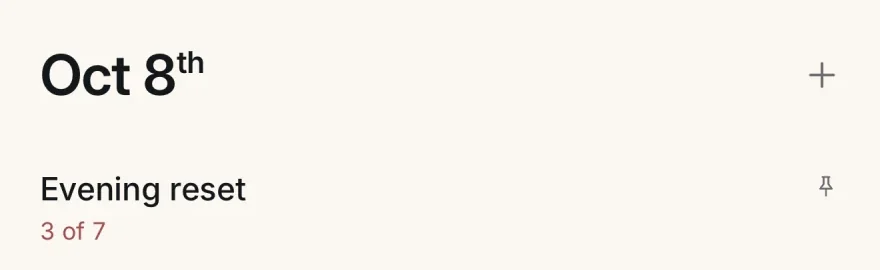
- Tap the + beside the date.
- A field opens in the library with the name Untitled checklist. Type the name you want.
- Press Return. The new checklist opens, ready for its first steps.
On a MacChoose File › New checklist, or press ⌘N. Press esc to leave the name field without creating anything.
Pin a checklist
Touch and hold a checklist in the library for about half a second, then choose Pin checklist. Pinned checklists stay at the top of the library and carry a small pin. To let one go, choose Unpin checklist the same way.
On a MacRight-click the checklist, or Control-click it.
Read the library
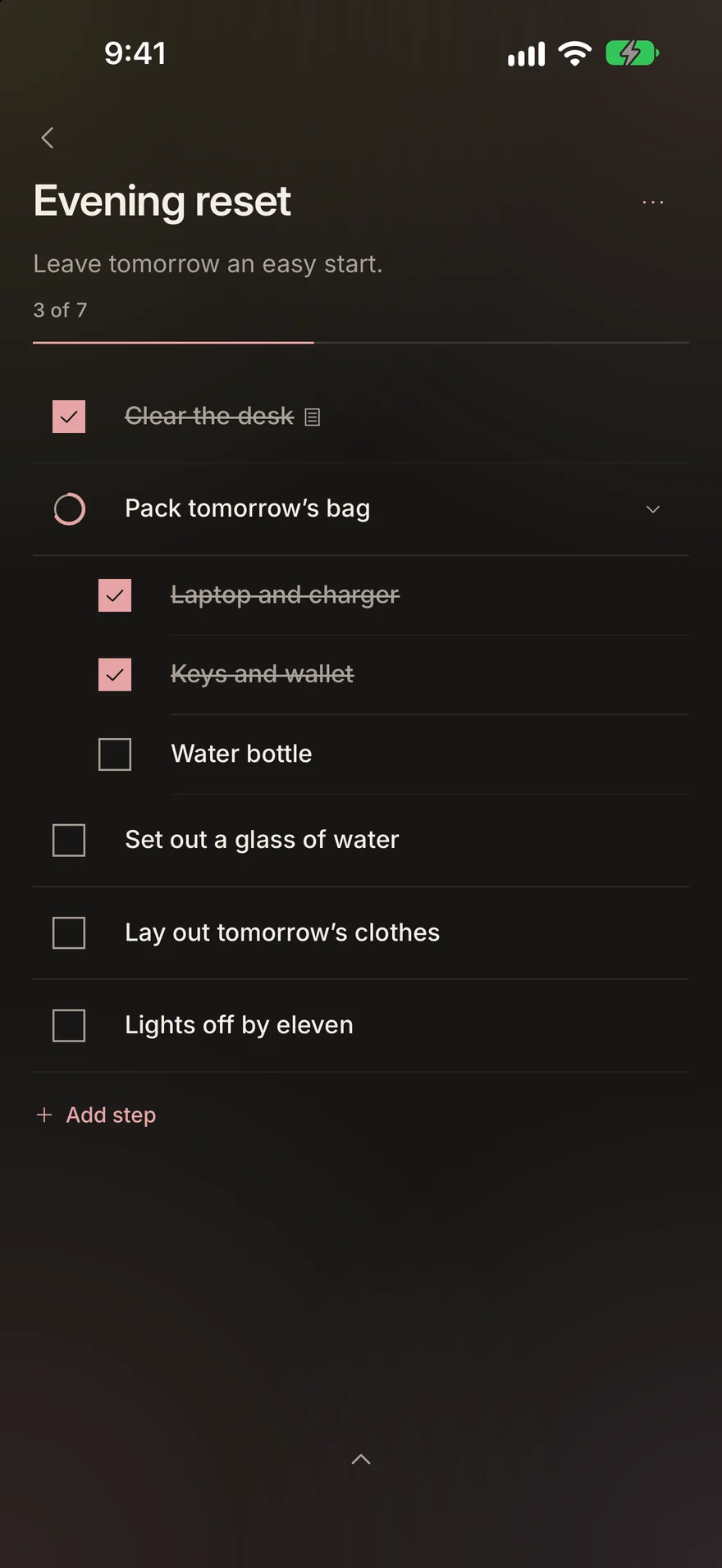
- While a checklist has a run in progress, the library shows its count, such as 3 of 7.
- Draft under a name means that checklist has edits that are not saved yet.
Checklist options
The … beside a checklist’s title opens its options:
- Edit checklist
- Change its name, note and steps. See Steps.
- Duplicate checklist
- Makes a copy with “copy” after the name, and opens it.
- Remind me
- Sets a reminder. See Reminders.
- Show Live Activity
- iPhone and iPad, while a run is in progress. See Widgets and Live Activities.
- Delete checklist
- Asks once:
This checklist and its current progress will be deleted.
Choose Delete checklist again to confirm, or Cancel.
Steps
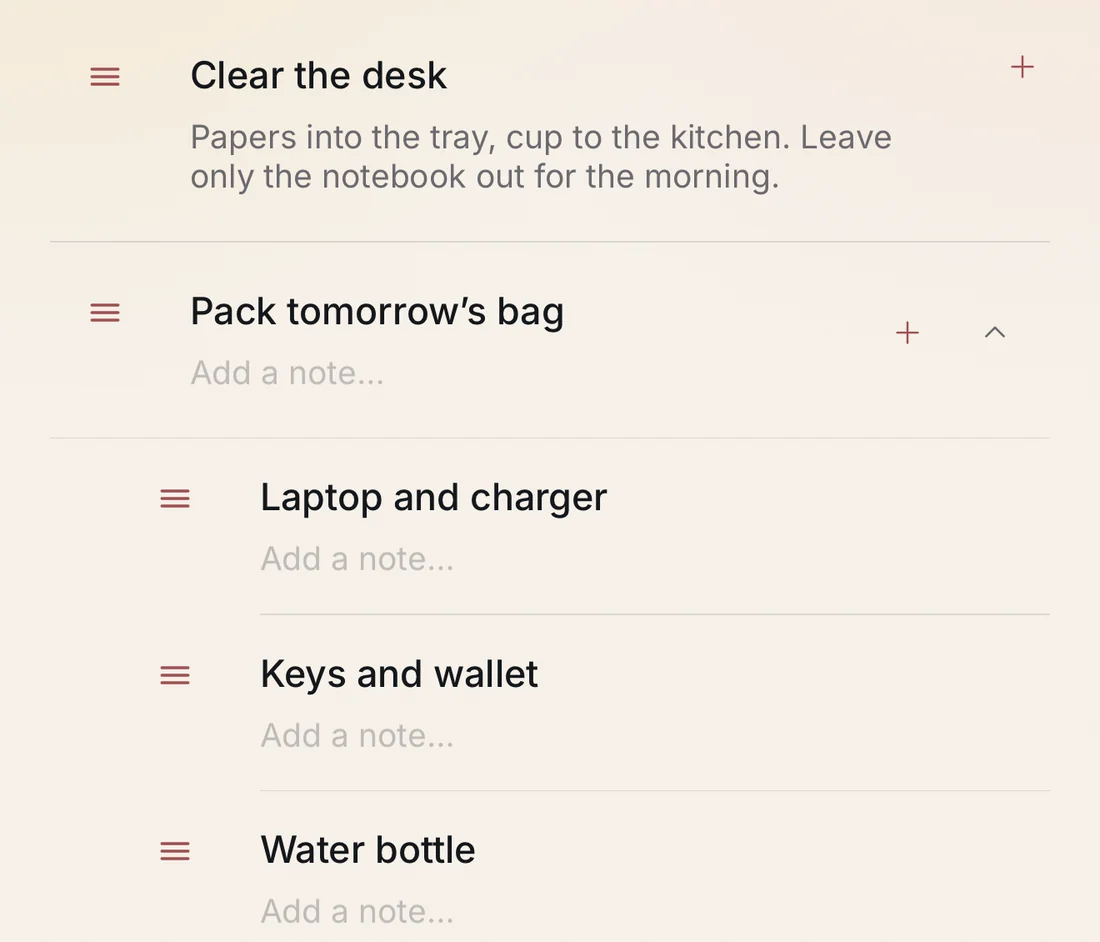
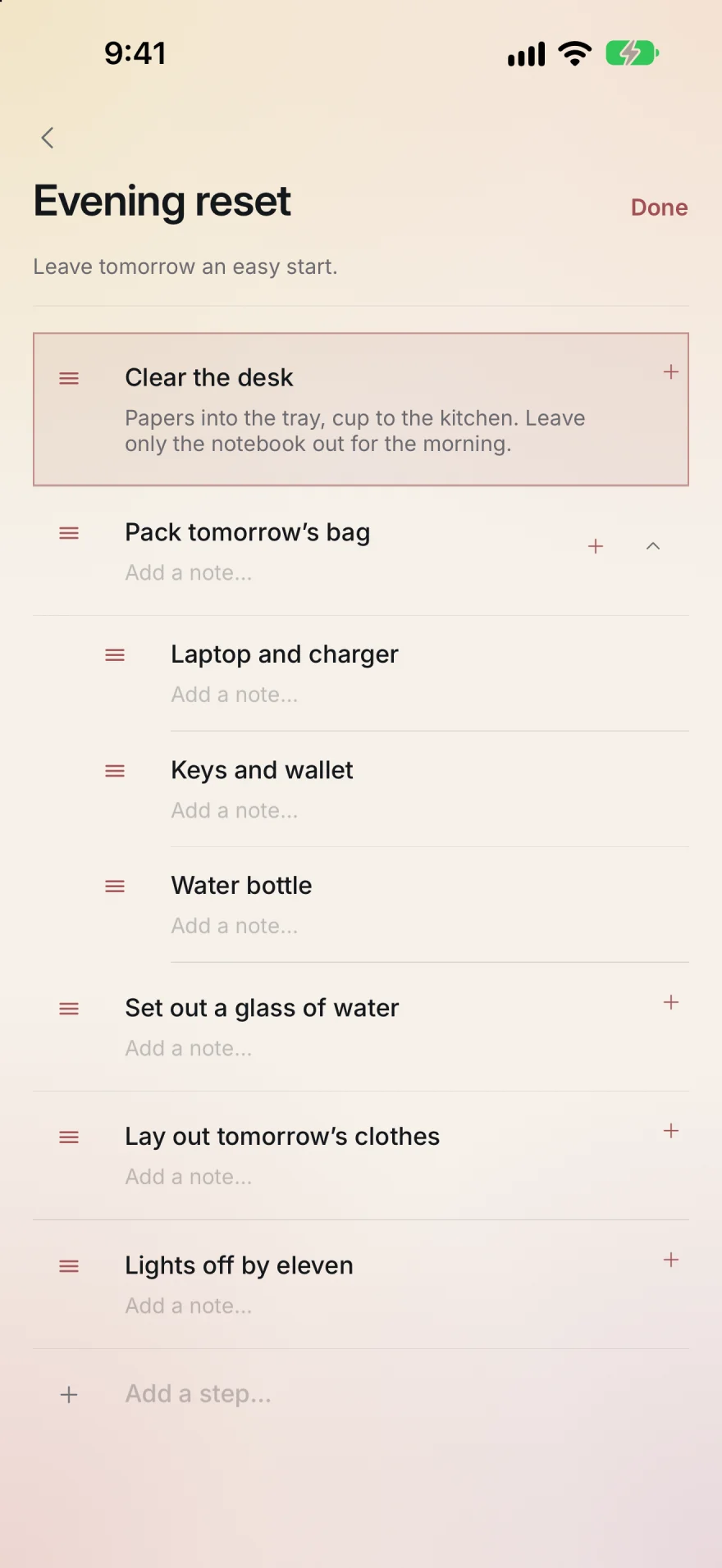
Each step has a title and, if you want one, a note. A step can hold substeps, one level deep.
Edit a checklist
- Choose Edit checklist from the … menu.
- Change the name in Checklist name, and the checklist’s note in Add a note…
- Choose Done to save and close.
On a MacChecklist › Edit checklist, ⌘E. Done is ⌘return.
Add steps
- While editing, type a step in Add a step… at the foot of the list and press Return. The field stays open for the next one.
- Give a step a note in its Add a note… line.
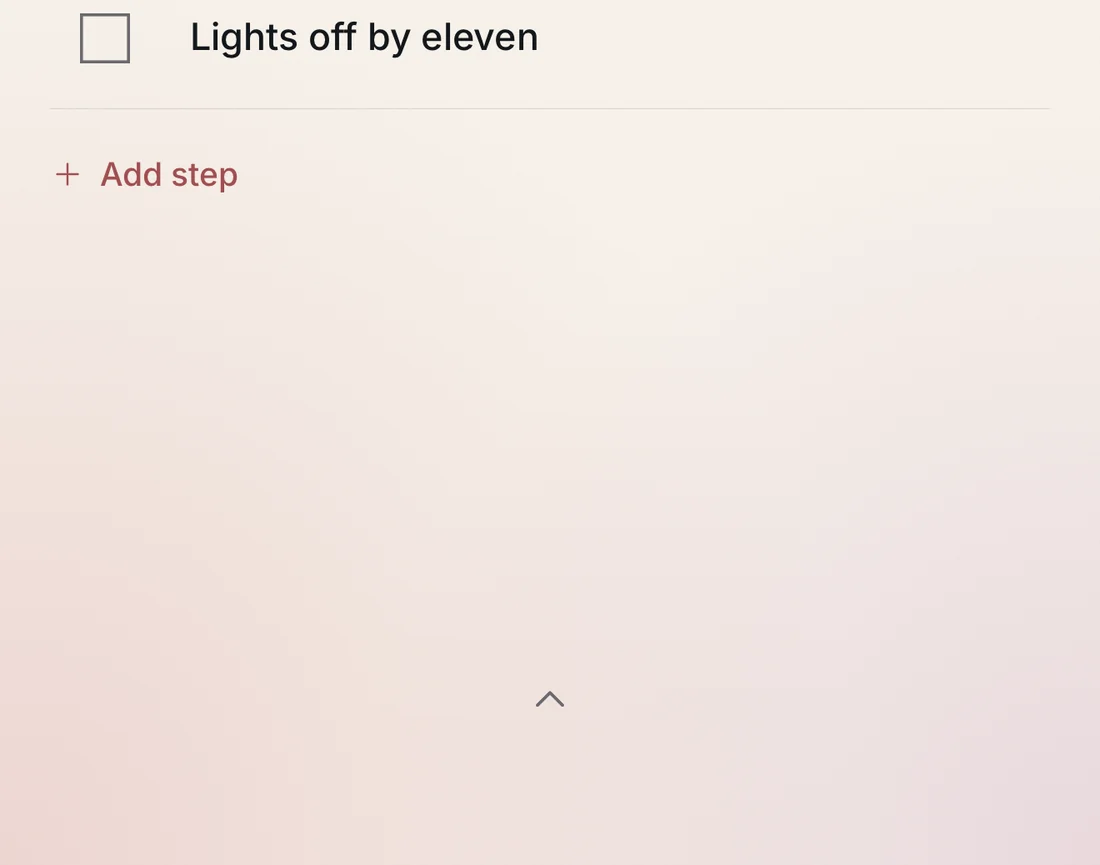
When you are not editing, Add step under the list opens the same field.
On a MacChecklist › Add step, ⇧⌘N.
Add substeps
- While editing, tap the + on a top-level step. An Add a substep… field opens beneath it.
- When you are not editing, on iPhone and iPad, swipe a top-level step to the right and tap Substep.
On a MacThe + appears on a step while the pointer is over it.
Reorder and delete
- While editing, drag a step by its grip, the three lines at its leading edge. A substep dropped on a top-level step becomes a top-level step.
- When you are not editing, on iPhone and iPad, touch and hold a step, then drag it.
- To delete a step, swipe it to the left and tap Delete.
On a MacWhile editing, swipe left with two fingers on the trackpad over a step to show Delete, and use ⌥⌘↑ and ⌥⌘↓ to move the step you are in. Checklist › Undo step change, ⌥⌘Z, and Redo step change, ⇧⌥⌘Z, step back and forward through these changes; in a text field ⌘Z still undoes typing.
Step details
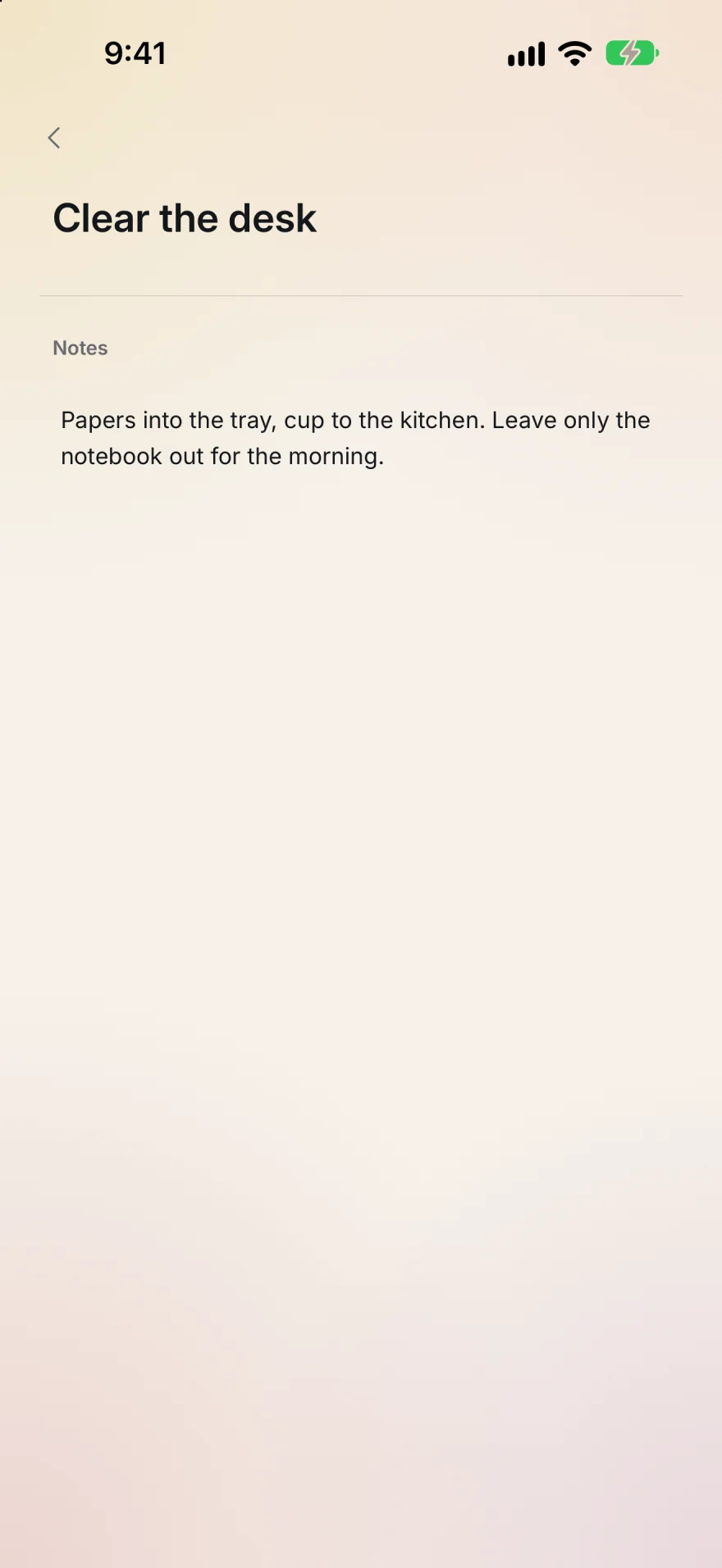
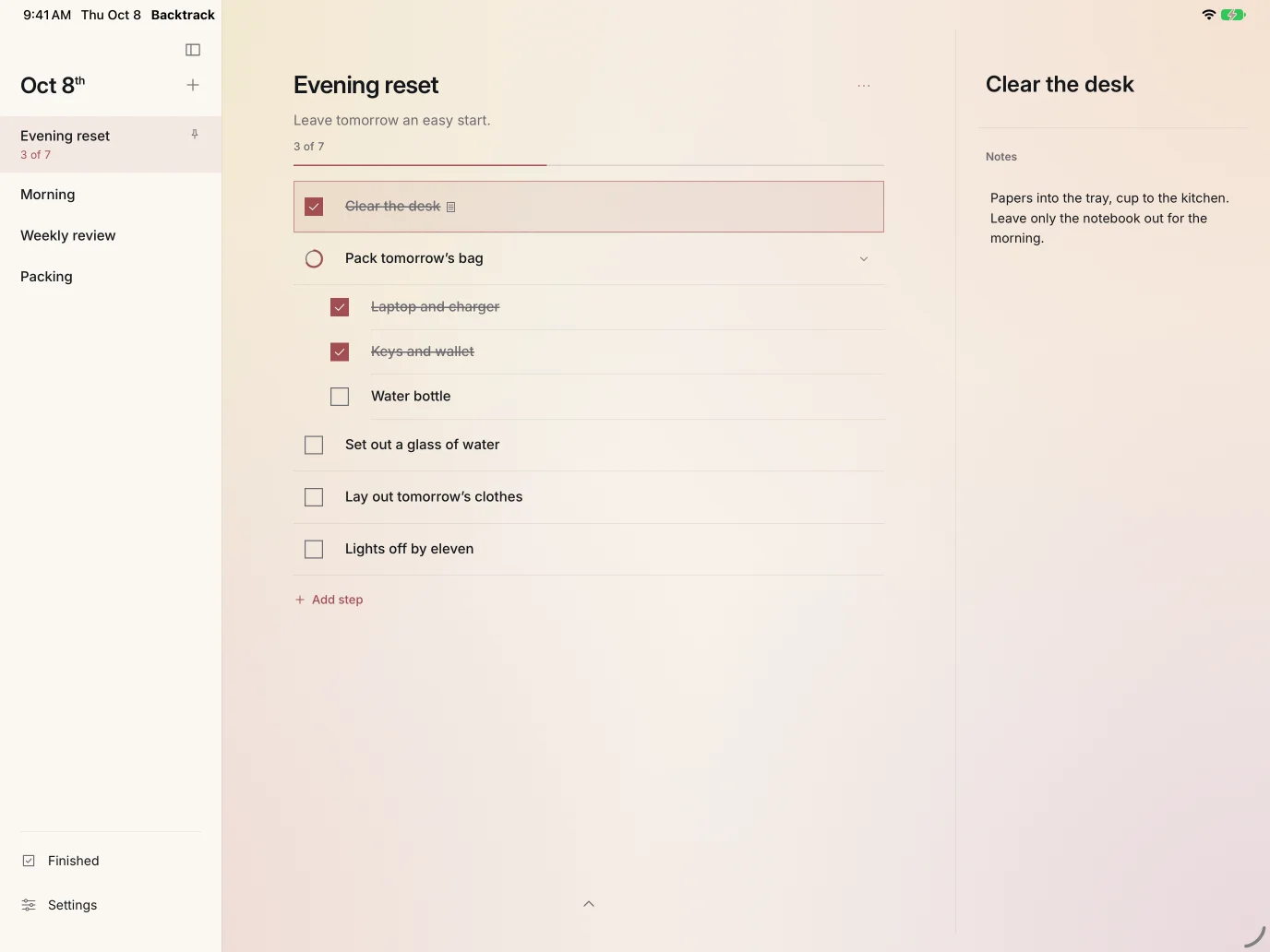
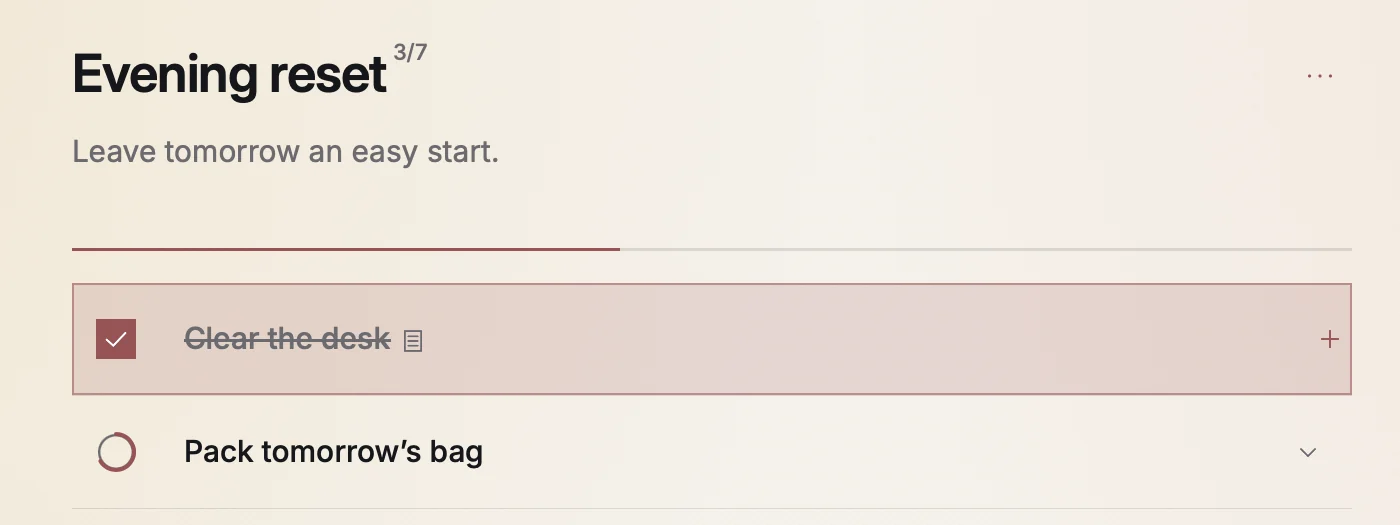
A step with a note shows a small note mark beside its title. Tap a step’s title to open its details: the title and the note. You can change either there; the change is saved when you leave the field.
iPad and MacThe details open in a column beside the checklist. On a Mac, ↑ and ↓ move between steps and return opens a step’s details. In the note, return saves and ⇧return starts a new line.
Running a checklist
A checklist that has never been run shows its steps numbered, with a count of checks and Begin at its foot.
Begin and check
- Choose Begin.
- Tap a step’s box to check it. Tap it again to uncheck it.
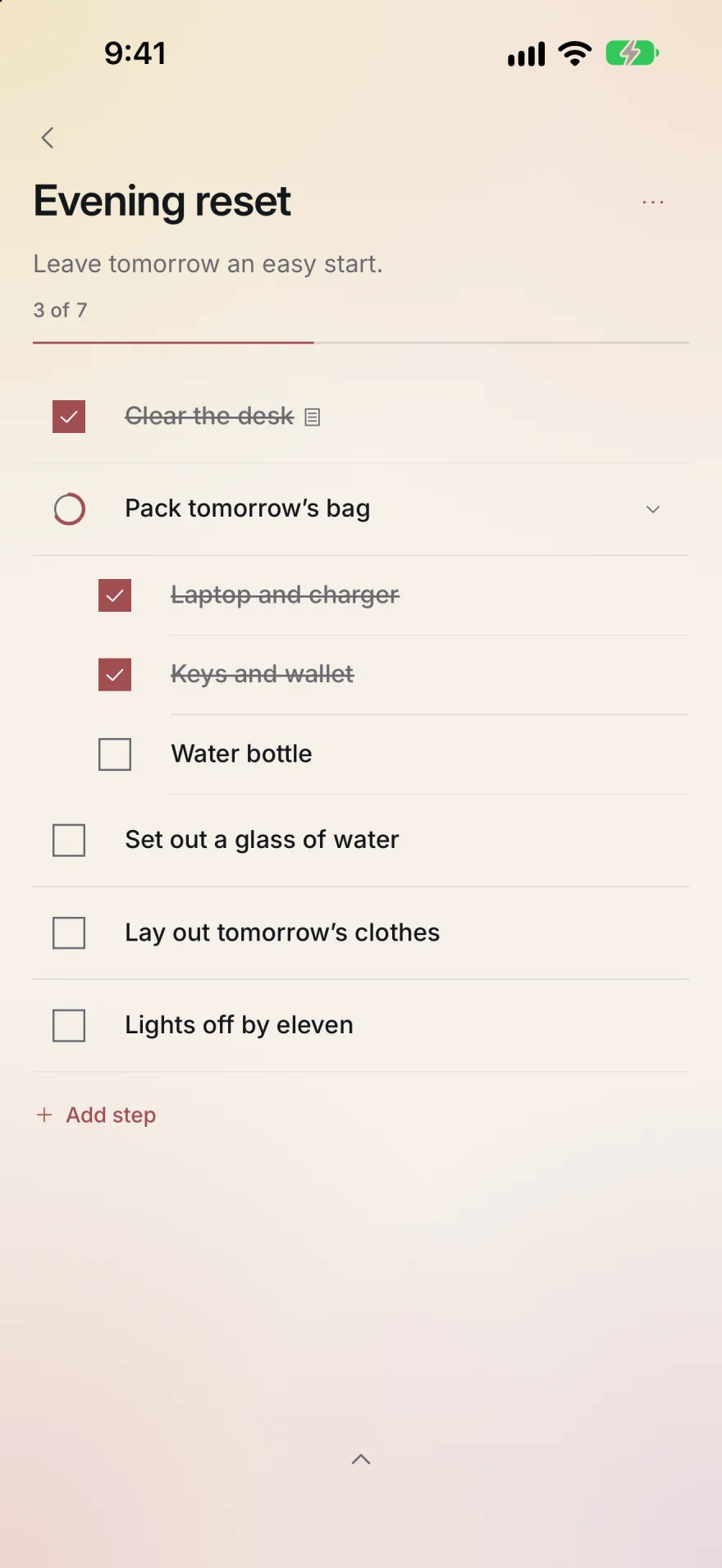
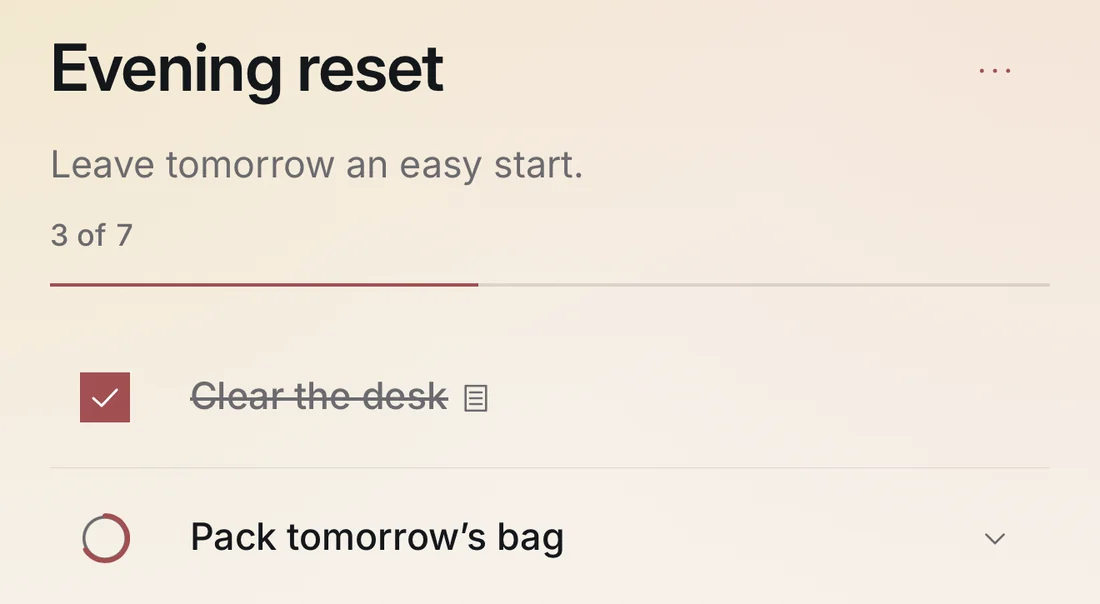
- A step with substeps is done when all of its substeps are checked. Its ring fills as they are. Tap that step to fold its substeps away or open them again.
Follow your progress
Progress shows as a count, such as 3 of 7, and as a line under the title. The library shows the same count beside the checklist.
On a MacThe count sits beside the title, as 3/7.
Finish
- Checking the last step finishes the run. The checklist shows Finished with the date and time, and the run is kept in Finished.
- Undo finish, under the steps, takes back that last check, and the run carries on.
- The steps of a finished run can’t be checked or unchecked. To do the checklist again, reset it.
Resetting
A reset clears every check so the checklist can be done again. It is there once a run has at least one step checked, and not while you are editing.
Pull up
- Find the mark at the foot of the checklist.
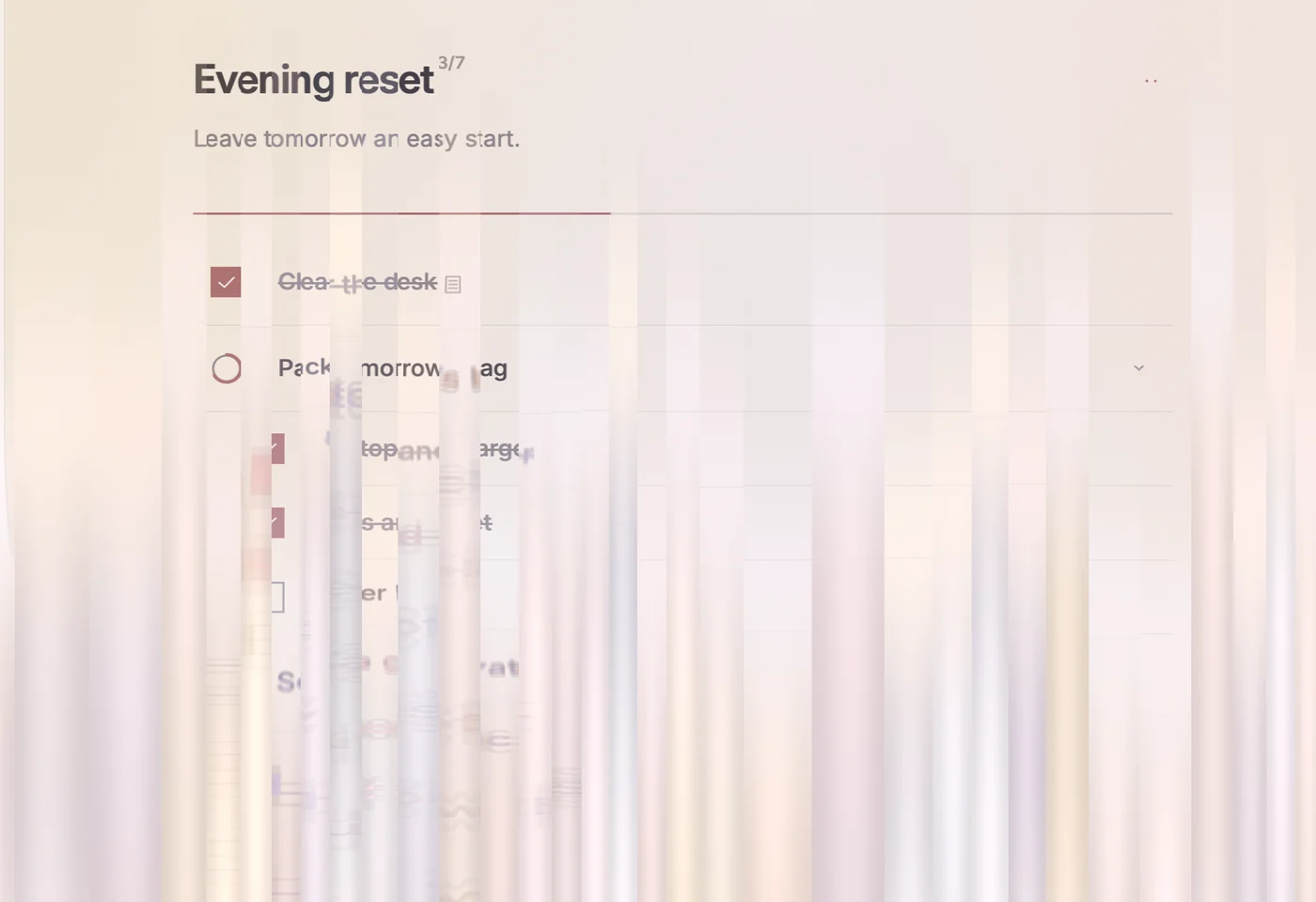
- Pull up from it. A tide of light rises.
- Let go past the threshold and every step is cleared. Let go early and nothing changes.
A finished checklist begins again. A run in progress starts over.
On a MacPull up with two fingers on the trackpad from the foot of the checklist, or choose Checklist › Reset checklist, ⌘R, which plays the whole reset.
With Reduce Motion on, nothing travels: the checklist softens, clears and comes back into focus. With VoiceOver, the mark is a button named Reset checklist.
Reminders
A checklist can have one reminder. Opening its notification opens that checklist.
Set a reminder
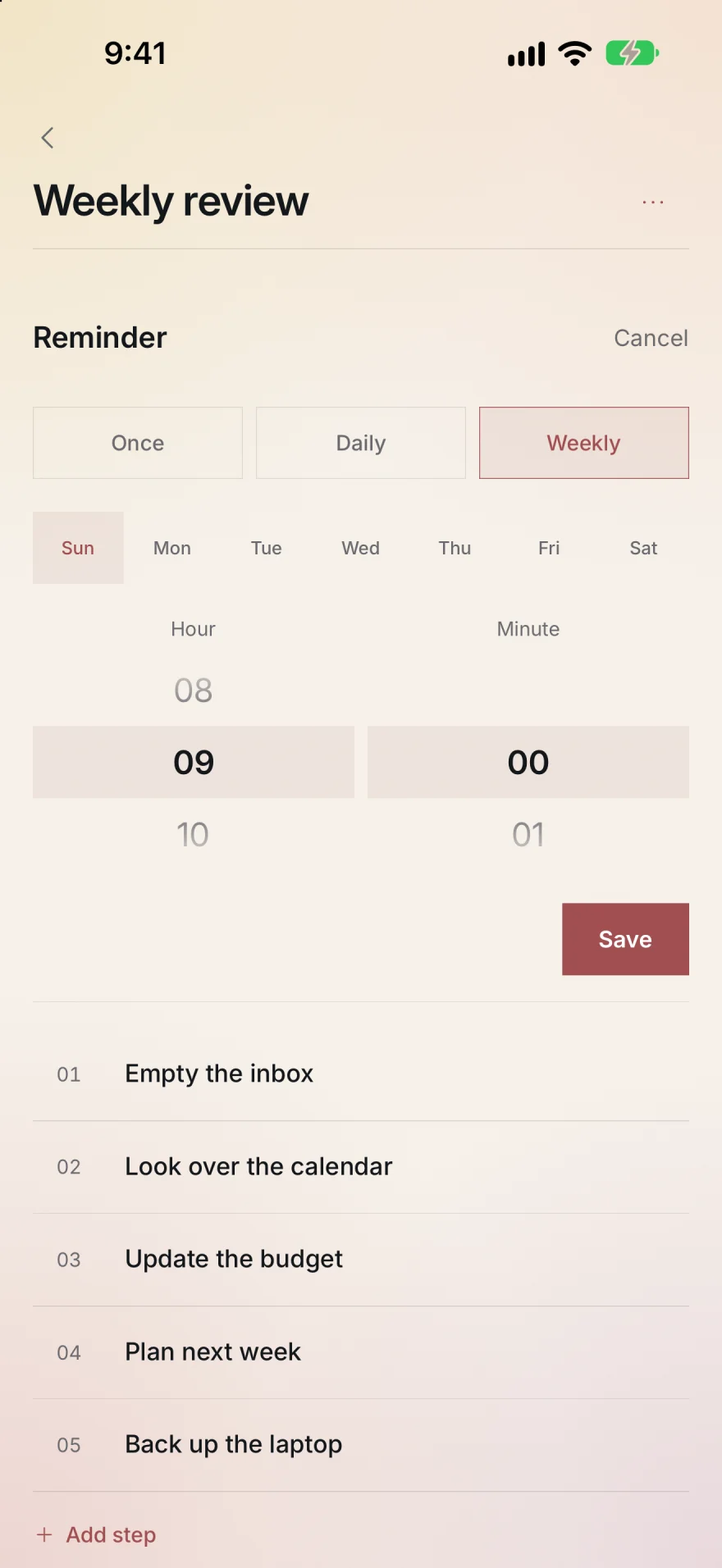
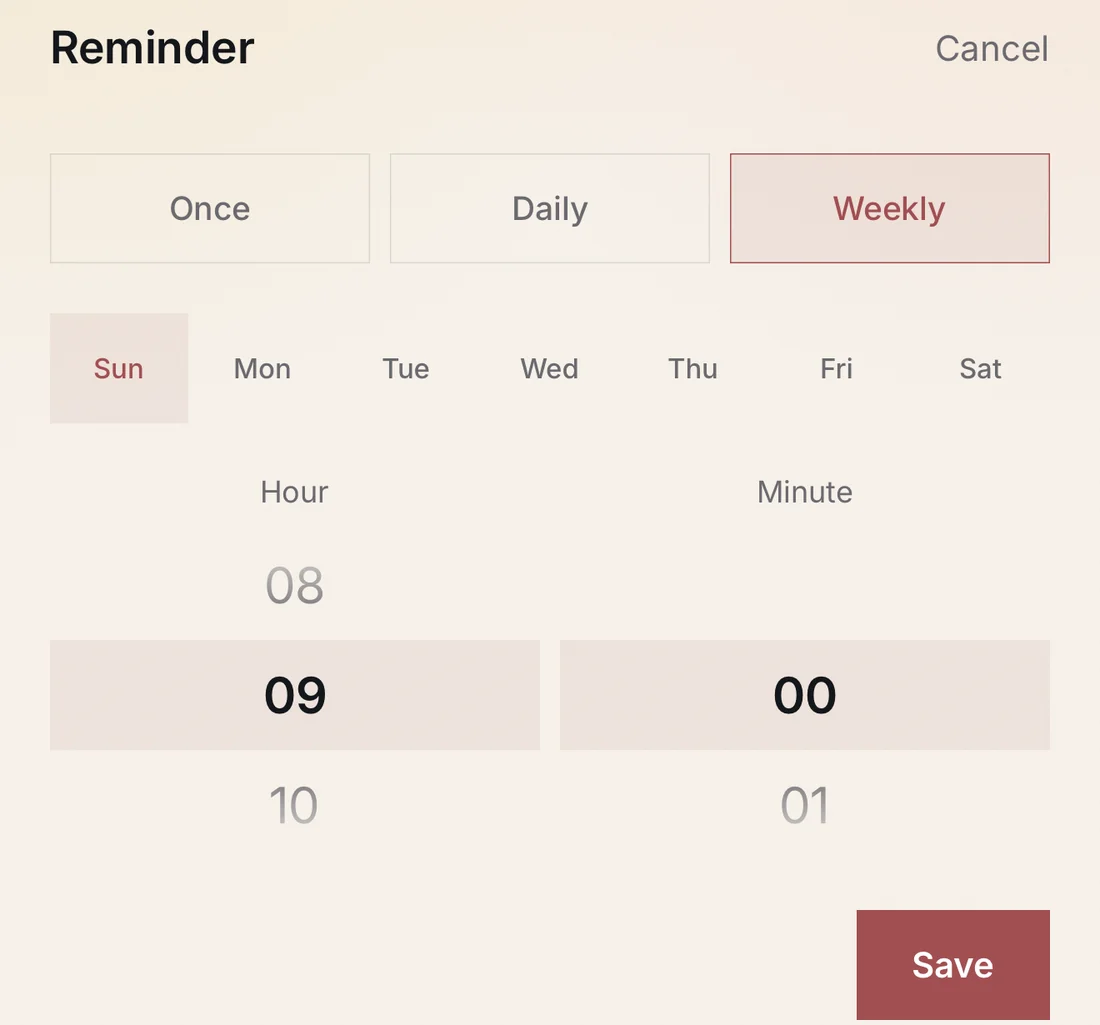
- Choose Remind me from the checklist’s … menu. The Reminder editor opens under the title.
- Choose Once, Daily or Weekly.
- For Once, choose the Day, Month and Year. For Weekly, choose a weekday. For each, choose the Hour and Minute.
- Choose Save. Cancel closes the editor without saving.
The first reminder you save asks for permission to send notifications.
Change or remove it
The reminder shows under the checklist’s title with a small calendar, for example Sunday · 9:00 AM. Tap it to open the editor again. Change it and choose Save, or choose Remove. While a checklist has a reminder, Remind me is not in its menu.
If a reminder can’t be saved
- Up to 60 reminders can be scheduled at once. Past that, Backtrack says
You can schedule up to 60 reminders. Remove a reminder before adding another.
- A time that has already passed asks you to
Choose a future date and time.
- If notifications were turned down, the checklist shows Allow notifications in Settings, and Backtrack’s Settings shows Open settings beside Notifications.
Finished
Finished, at the foot of the library, lists every finished run, newest first, with the date and time it was finished.
- On iPhone and iPad, each run also shows its count of checks.
- Load more, at the end of the list, shows older runs.
- Open a run to see its steps as they were. Tap a step to see its details.
- Back to Finished returns to the list. On a Mac, press ⌘[ or esc.
A finished run is kept as it was and can’t be reopened from Finished. Right after a run finishes, Undo finish on the checklist itself takes back its last check.

Widgets and Live Activities
iPhone and iPadKeep a checklist on the Home Screen and the Lock Screen.
Add the widget
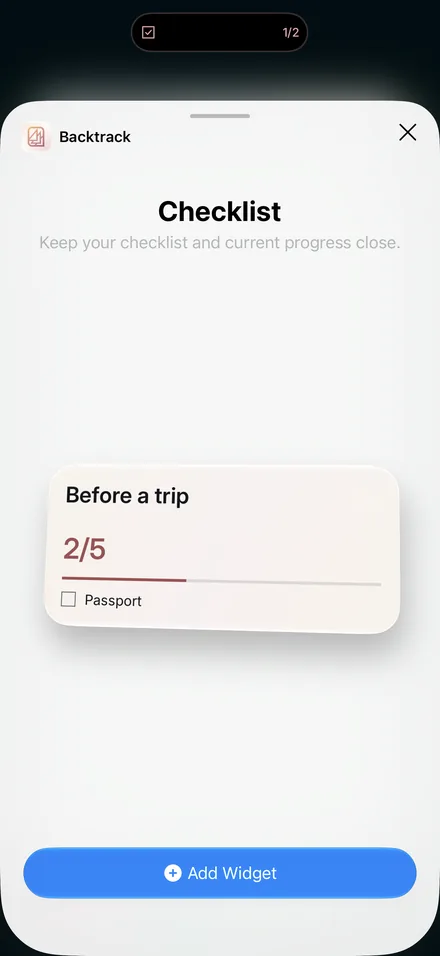
- Add Backtrack’s widget, Checklist, from the widget gallery. It comes in small, medium and large sizes for the Home Screen, and inline, circular and rectangular sizes for the Lock Screen.
- Edit the widget to choose what it shows: a checklist under Checklist, or Current checklist to follow your current run.
- Tap the widget to open that checklist.
Live Activity
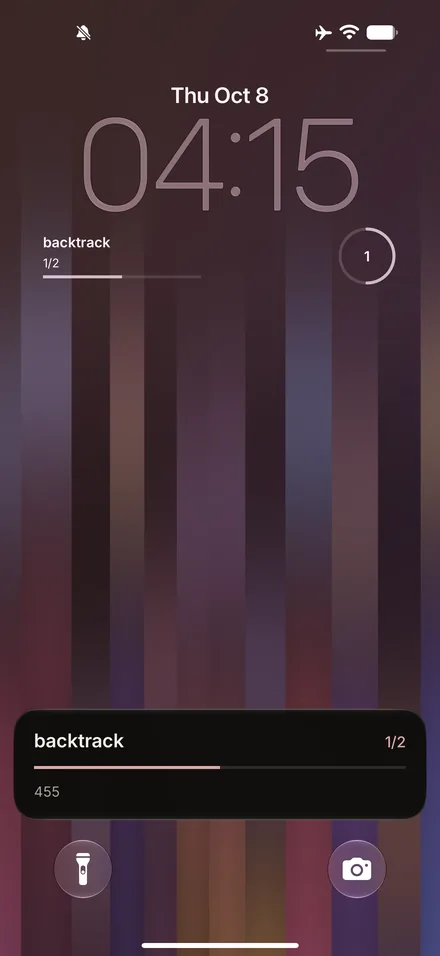
- When you begin a checklist, it appears as a Live Activity on the Lock Screen and, on an iPhone that has one, in the Dynamic Island. It stays until the last step is checked. Tap it to open the checklist.
- If you dismissed it, choose Show Live Activity from the checklist’s … menu to bring it back.
- To stop them, turn off Live Activities in Settings.
Settings
Open Settings at the foot of the library.
- Appearance
- System, Light or Dark.
- Background glow
- The gold and rose glow behind the lists, on or off.
- iCloud
- Syncs your library through your private iCloud across your devices. Off keeps it on this device.
- Notifications
- Reminders on or off. Before Backtrack has asked for permission this shows Enable; if permission was turned down, Open settings.
- Live Activities
- iPhone and iPad. On or off.
The version of Backtrack is shown at the foot of Settings.
On a MacChoose Backtrack › Settings, ⌘,. The sidebar hides and shows with ⌃⌘S, or with the sidebar button beside the window controls. On iPad, the same button sits at the top of the sidebar.
Sync and privacy
- Your checklists are kept on your device and, with iCloud on, in your private iCloud. There is no account, no ads and no tracking. See the privacy policy.
- If two devices change the same checklist, the copy iCloud already holds is kept.
Requirements
- iPhone
- iOS 18.6 or later
- iPad
- iPadOS 18.6 or later
- Mac
- macOS 26 or later